How to set a schedule for the coop door from the App?
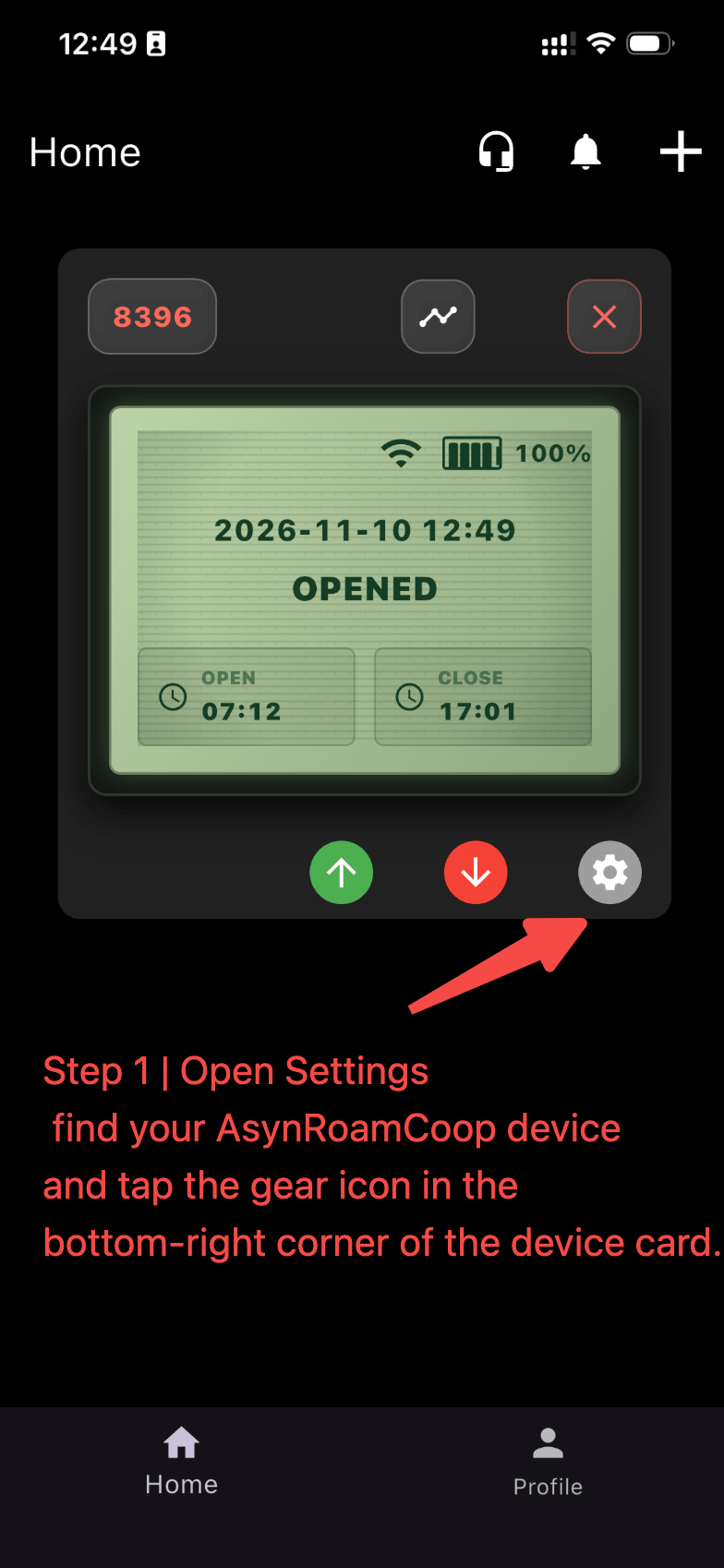
Step 1 | Open Settings
On the Home screen, find your AsynRoamCoop device and tap the gear icon in the bottom-right corner of the device card.
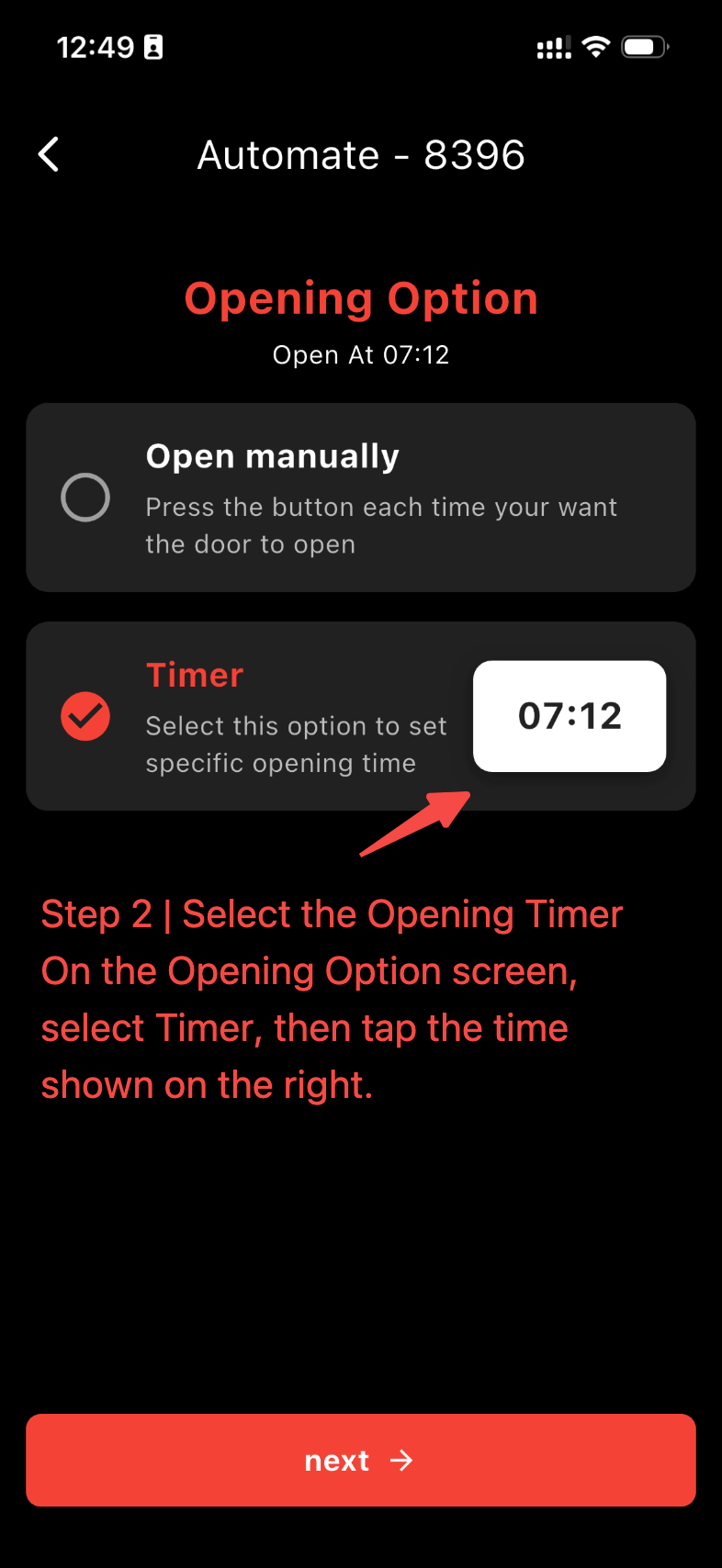
Step 2 | Select the Opening Timer
On the Opening Option screen, select Timer, then tap the time shown on the right.
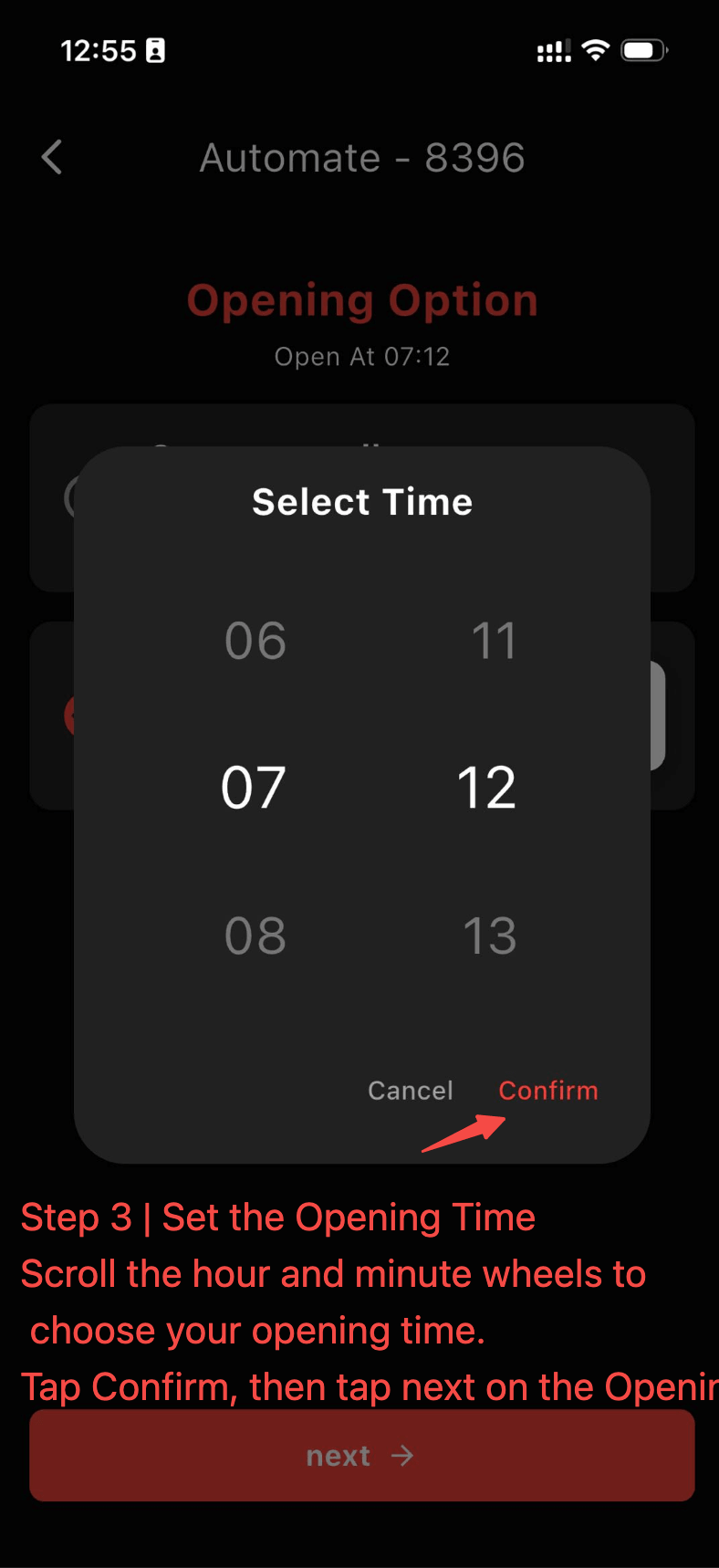
Step 3 | Set the Opening Time
Scroll the hour and minute wheels to choose your opening time. Tap Confirm, then tap next on the Opening Option screen.
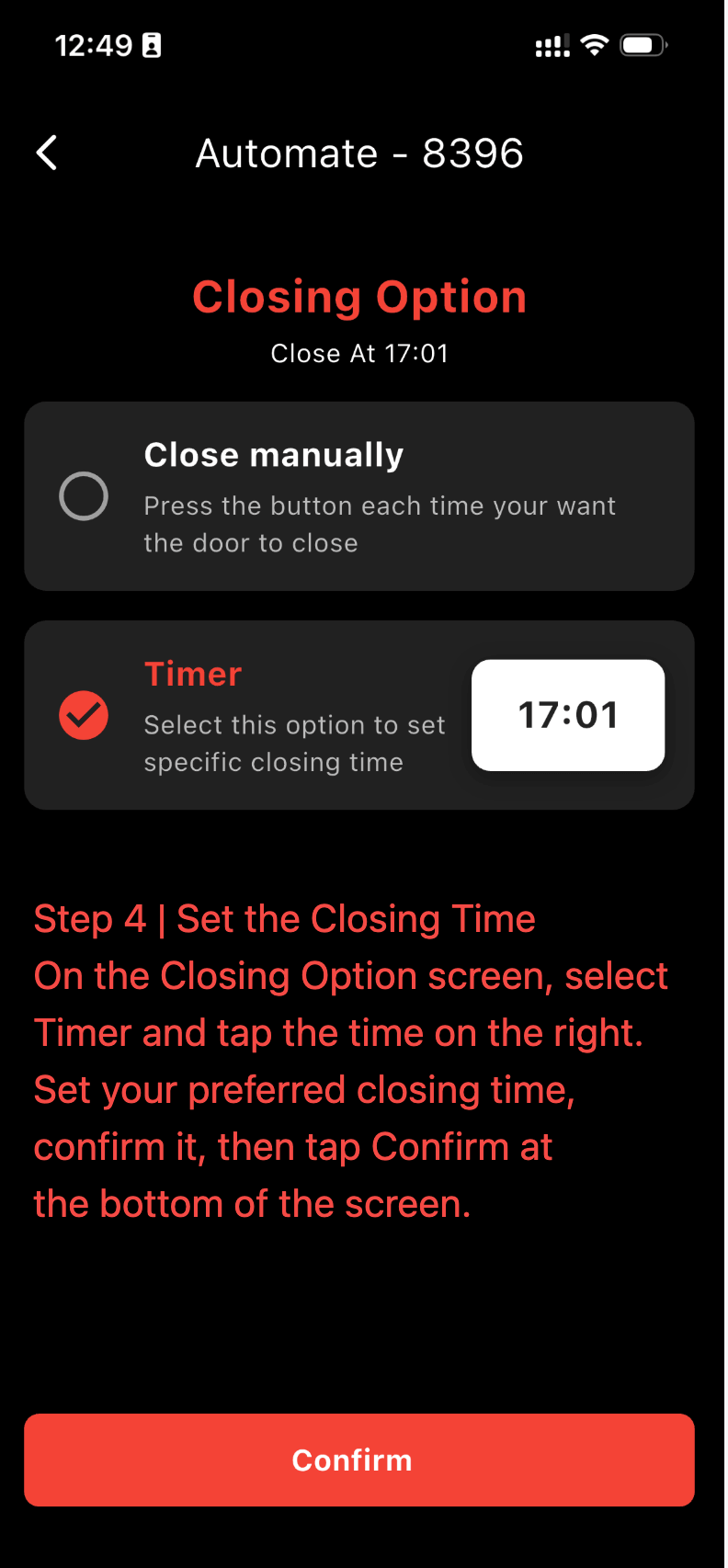
Step 4 | Set the Closing Time
On the Closing Option screen, select Timer and tap the time on the right. Set your preferred closing time, confirm it, then tap Confirm at the bottom of the screen.
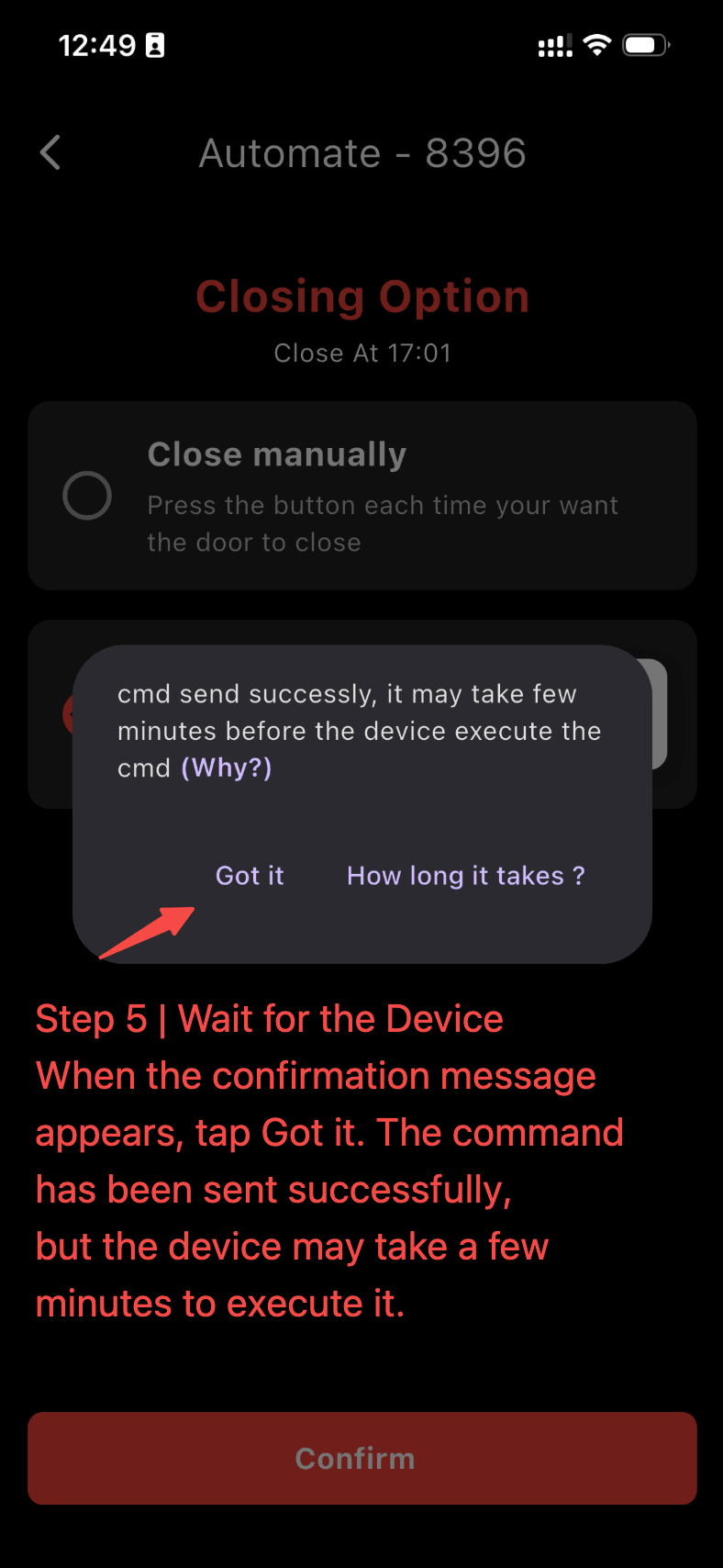
Step 5 | Wait for the Device
When the confirmation message appears, tap Got it. The command has been sent successfully, but the device may take a few minutes to execute it. Return to the Home screen and check the OPEN and CLOSE times on the device card.