What does the device card mean?
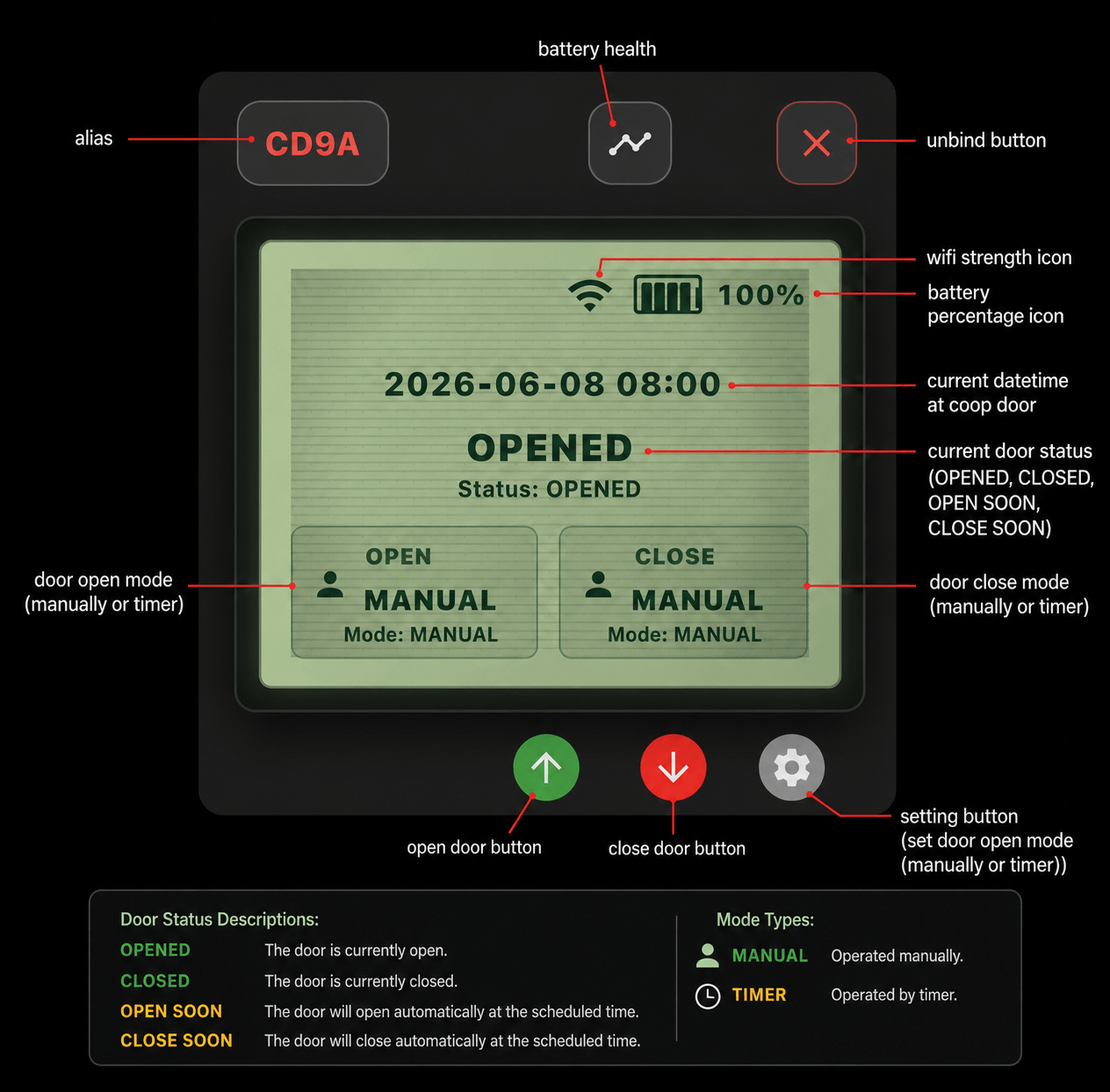
After you successfully bind a coop door device, a device card is created for you on the Home page.
You can bind multiple devices, but each device has only one device card. The device card is the control console for remotely controlling your coop door from your phone.
You can tap the open button on the device card to open the door remotely, or tap the close button to close the door remotely. Tap the Gear Button to set the scheduled opening and closing times for the coop door.
In the middle of the device card, there is an LCD-style display. This area shows the coop door device Metrics. PS: all the information displayed here is mirrored from the coop door device you have bound, not from the phone.
The Metrics include the coop door Wi-Fi strength, battery percentage, current datetime, current door status, and opening or closing mode.